Need to track the next step? A saved register starts free for one project and one administrator.
See how a daywork connects to a payment
THE CERTKEEP WALKTHROUGH
One extra. One connected record.
Follow a fictional £1,840 extra from site record to payment follow-up.
FICTIONAL LIVE JOBHarbour Fit-out · Level 03
Site extra
01 · CAPTURE
The extra happens on site.
Instruction CK-184 is recorded while the labour, plant, materials and context are still fresh.
Recorded value£1,840
Daywork DW-027
Site extra
Labour
£1,120
Plant
£240
Materials
£480
Fictional figures show how one commercial trail can stay connected. CertKeep records the figures and statuses you enter; it does not decide entitlement or whether payment is legally due.Explore the fictional demo How to use the saved workflow
HOW IT WORKS
Record. Save. Follow up.
Start with the sheet. Use the saved register when you need to track the next step.
01
Create the site record.
Enter the work and resources you need. Print or save the full sheet as a PDF.
Public daywork sheet, PDF / print and variation CSV export
Included
Included
Saved projects / dayworks
1 / 5
Up to 30 / 500 during beta
Saved variations linked to dayworks
1 at a time
More live variations
Quoted, submitted and agreed values, next action and printable variation summary
Included
Included
Saved applications with applied, certified, retention and paid values
1 at a time
More live applications
Private evidence on saved dayworks
Not included
Up to 5 PDFs/photos per daywork
Cross-project Payment Schedule using your entered dates
Not included
Included
Payment follow-up, assessment-difference notes and Retention Watch
On your saved application
Across live applications
Printable payment support summary with linked dayworks and evidence index
On your saved application
Across live applications
Training records
10
Up to 1,000
Automatic training-expiry and opt-in commercial date reminder emails
Not included
Included
Private training certificate evidence uploads
Not included
Included
Self-service billing and cancellation
No subscription
Included
LAUNCH20 · 20% off your first invoice while available
Limited to 50 redemptions. £9.60 for the first month or £96 for the first year; renews at £12/month or £120/year.
Daywork, variation and payment statuses reflect the records and commercial position you enter. CertKeep does not decide whether work was validly instructed, whether a variation exists, which rates apply, calculate contractual or statutory payment dates, create contractual applications or notices, or decide whether payment is legally due. Training statuses likewise depend on the dates and requirements you enter.
We already use paper or Excel daywork sheets. Why change?
You may not need to. The free CertKeep sheet is useful when you want a structured browser form with totals, acknowledgement and clean PDF output. Saved Dayworks adds a project register for the value, status and next commercial action so the office does not have to reconstruct every extra later.
What does the free digital daywork sheet record?
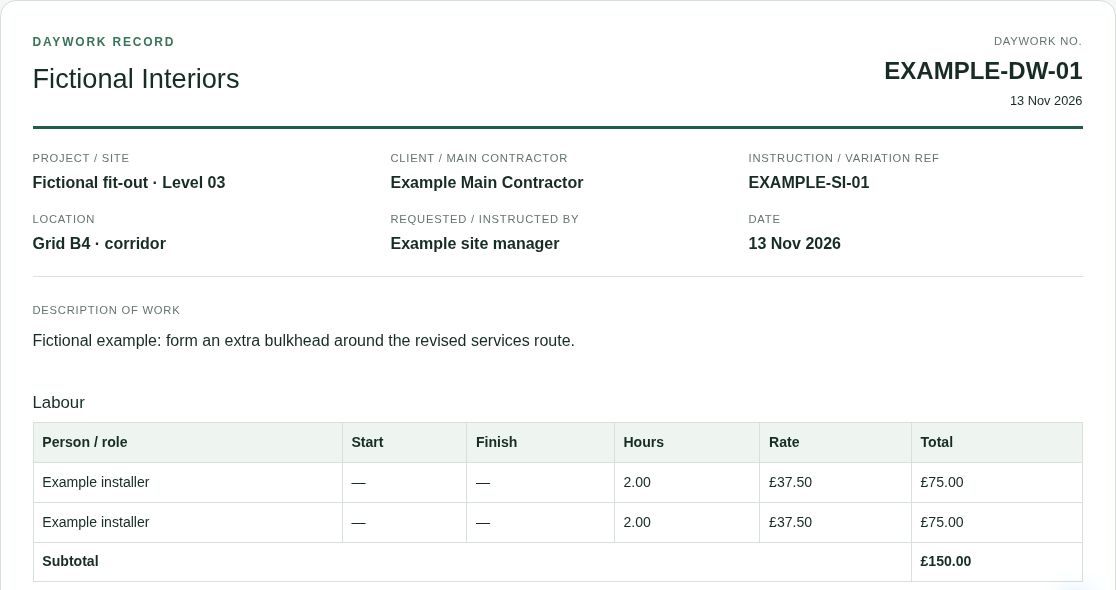
It can record the project and instruction, description, labour, plant, materials, percentage additions you choose to enter, evidence references, comments and a site acknowledgement/signature. You can then print it or save it as a PDF. No account is required for the public sheet.
Does a signature mean the work is approved or payable?
No. The acknowledgement records what was captured on the sheet. CertKeep does not decide whether the person signing had authority, whether the work was validly instructed, whether it is a variation, which rates apply or whether payment is legally due.
What is carried into saved Dayworks?
The current browser handoff carries the project, client, daywork reference, instruction reference, work date, description and calculated total so you can review them before saving. Named labour rows, plant and material line items, evidence references and the signature are not automatically transferred into the saved register.
Can I link dayworks to a variation?
Yes. Signed-in Free can save one live variation at a time and link the supporting saved dayworks. Pro keeps more live variations across projects. Each variation can keep its reference, title, instruction reference, date, status, quoted, submitted and agreed values, and next action.
Can I upload signed PDFs or site photos into saved Dayworks?
Yes, on Pro. You can keep up to five private PDF or photo evidence files against each saved daywork. A saved payment application can export its supporting summary, index and linked files as a ZIP, up to 100 files / 25 MB. The public daywork sheet can still be printed or saved as PDF. External approval links are not available.
What does Free include?
The public daywork sheet and browser variation register are free without an account. A signed-in Free account can keep 1 saved Dayworks project, 5 saved dayworks, 1 saved variation and 1 saved payment application at a time. Existing saved records remain editable when a limit is reached.
What does Pro add?
Pro is £12/month or £120/year. During the current Dayworks beta it raises the saved allowance to 30 projects and 500 dayworks, adds private PDF/photo evidence, more saved variations and payment applications, Payment Schedule, payment follow-up, assessment-difference notes, Retention Watch, printable commercial summaries and optional reminders for the commercial dates you enter. The existing Pro training workspace is included too.
Can my whole site team have separate logins?
Not in this version. Each account is managed by one administrator. Multi-user organisations, field-user permissions and external approval accounts are not included in the current Dayworks beta.
Are training and certificate records still available?
Yes. The existing training workspace remains part of CertKeep: Free holds up to 10 training records and Pro up to 1,000. Pro can also send configured expiry reminder emails. Pro can attach private training certificate evidence to saved training records.
Will other visitors see my saved commercial records?
No. Saved Dayworks records are restricted to the signed-in account that created them and do not appear in the public daywork sheet, variation tool or demo. See the privacy notice for service-provider and operational access details.
Can I cancel Pro?
Yes. Billing is managed through Stripe and can be cancelled through Manage billing. The 30-day money-back guarantee covers the first monthly or annual Pro payment when requested within the stated window; the terms page contains the full conditions.
FROM THE SITE RECORD TO THE NEXT ACTION
Keep the extra work from going missing.
Try one extra from a current job. Keep the full PDF, then decide whether you need the saved register.
START WITH ONE DAYWORK
£0 public tool
No account needed to create, print or save the detailed daywork sheet as PDF.